本文主要是介绍Tekton 构建容器镜像,希望对大家解决编程问题提供一定的参考价值,需要的开发者们随着小编来一起学习吧!
Tekton 构建容器镜像
介绍如何使用 Tektonhub 官方 kaniko task 构建docker镜像,并推送到远程dockerhub镜像仓库。
kaniko task yaml文件下载地址:https://hub.tekton.dev/tekton/task/kaniko
查看kaniko task yaml内容:

点击Install,选择一种方式创建 task
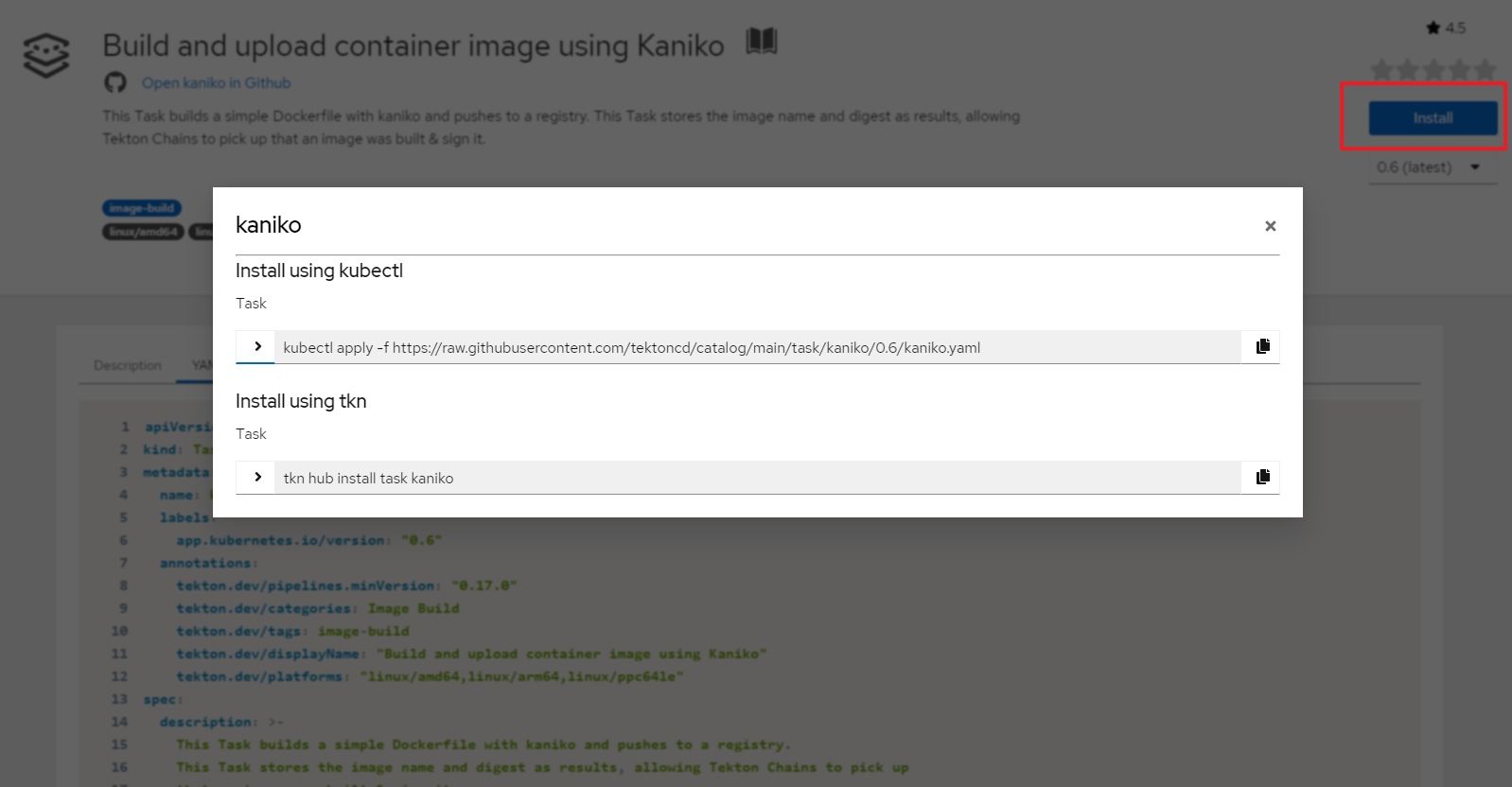
这里使用kubectl命令创建官方kaniko task
kubectl apply -f \
https://raw.githubusercontent.com/tektoncd/catalog/main/task/kaniko/0.6/kaniko.yaml
在执行镜像构建前Dockerfile存放在git仓库中,需要将代码克隆到本地,因此也需要安装git-clone task,安装方式类似。
kubectl apply -f \
https://raw.githubusercontent.com/tektoncd/catalog/main/task/git-clone/0.9/git-clone.yaml
查看创建的task
$ kubectl get task
NAME             AGE
git-clone        25h
kaniko           13h
Task创建后,可以通过taskRun或pipelineRun进行调用。
配置dockerhub认证
镜像构建完成后自动推送到dockerhub,需要为dockerhub配置认证信息。
安装jq工具
apt install -y jq
生成config.json,替换docker-username和docker-password为您的值。
kubectl create secret docker-registry dockerhub \
--docker-server=https://index.docker.io/v1/ \
--docker-username=<your-docker-username> \
--docker-password=<your-docker-password> \
--dry-run=client -o json | jq -r '.data.".dockerconfigjson"' | base64 -d > /tmp/config.json
基于config.json创建secret
kubectl create secret generic docker-config --from-file=/tmp/config.json
创建serviceaccount,绑定到secret
$ cat serviceaccount.yaml
apiVersion: v1
kind: ServiceAccount
metadata:name: build-bot
secrets:- name: docker-config
应用yaml文件
kubectl apply -f serviceaccount.yaml
创建pipeline和pipelinerun
官方示例pipeline:https://github.com/tektoncd/catalog/blob/main/task/kaniko/0.6/tests/run.yaml
该pipeline 首先运行git clone task,从https://github.com/kelseyhightower/nocode.git 克隆代码,然后运行kaniko task 基于根目录的Dockerfile文件构建镜像,并推送到dockerhub。
$ cat kaniko-run.yaml
apiVersion: tekton.dev/v1beta1
kind: Pipeline
metadata:name: kaniko-test-pipeline
spec:workspaces:- name: shared-workspace- name: docker-configparams:- name: repo-urltype: stringdescription: The git repository URL to clone from.- name: branch-nametype: stringdescription: The git branch to clone.- name: gitInitImagetype: stringdescription: The gitInitImage params.- name: httpProxytype: stringdescription: The httpProxy params.- name: httpsProxytype: string- name: dockerfiletype: stringdescription: reference of the image to build- name: builder-imagetype: stringdescription: reference of the image to build- name: imagetype: stringdescription: reference of the image to buildtasks:- name: fetch-repositorytaskRef:name: git-cloneworkspaces:- name: outputworkspace: shared-workspaceparams:- name: urlvalue: $(params.repo-url)- name: revisionvalue: $(params.branch-name)- name: gitInitImagevalue: $(params.gitInitImage)- name: httpProxyvalue: $(params.httpProxy)- name: httpsProxyvalue: $(params.httpsProxy)- name: kanikotaskRef:name: kanikorunAfter:- fetch-repositoryworkspaces:- name: sourceworkspace: shared-workspace- name: dockerconfigworkspace: docker-configparams:- name: DOCKERFILEvalue: $(params.dockerfile)- name: IMAGEvalue: $(params.image)- name: BUILDER_IMAGEvalue: $(params.builder-image)- name: verify-digestrunAfter:- kanikoparams:- name: digestvalue: $(tasks.kaniko.results.IMAGE_DIGEST)taskSpec:params:- name: digeststeps:- name: bashimage: ubuntuscript: |echo $(params.digest)case .$(params.digest) in".sha"*) exit 0 ;;*)       echo "Digest value is not correct" && exit 1 ;;esac- name: verify-urlrunAfter:- kanikoparams:- name: urlvalue: $(tasks.kaniko.results.IMAGE_URL)taskSpec:params:- name: urlsteps:- name: bashimage: ubuntuscript: |echo $(params.url)case .$(params.url) in*"/kaniko-nocode") exit 0 ;;*)       echo "URL value is not correct" && exit 1 ;;esac
---
apiVersion: tekton.dev/v1beta1
kind: PipelineRun
metadata:generateName: kaniko-test-pipeline-run-
spec:serviceAccountName: build-botpipelineRef:name: kaniko-test-pipelineparams:- name: repo-urlvalue: https://github.com/kelseyhightower/nocode.git- name: branch-namevalue: master- name: gitInitImage#value: gcr.io/tekton-releases/github.com/tektoncd/pipeline/cmd/git-init:latestvalue: dyrnq/tektoncd-pipeline-cmd-git-init:latest- name: httpProxyvalue: http://192.168.72.1:7890/- name: httpsProxyvalue: http://192.168.72.1:7890/- name: dockerfilevalue: ./Dockerfile- name: imagevalue: docker.io/willdockerhub/kaniko-nocode- name: builder-image# value: gcr.io/kaniko-project/executor:v1.5.1@sha256:c6166717f7fe0b7da44908c986137ecfeab21f31ec3992f6e128fff8a94be8a5value: docker.io/bitnami/kaniko:latestworkspaces:- name: shared-workspacevolumeClaimTemplate:spec:accessModes:- ReadWriteOnceresources:requests:storage: 1Gi- name: docker-configsecret:secretName: docker-config
参数说明:
- gitInitImage:执行git clone任务的镜像,官方镜像无法访问,推荐在docekrhub中查找替代镜像
- builder-image:执行kaniko 构建任务的镜像,官方镜像无法访问,推荐在docekrhub中查找替代镜像
- serviceAccountName:指定
serviceAccountName用于认证 - shared-workspace:用于在不同任务之间共享数据,PipelineRun中定义了
volumeClaimTemplate类型的workspaces,能够动态申请所需的持久卷,使用kubectl get storageclass命令,确认k8s集群有默认可用的storageclass资源可用,本示例输出为openebs-hostpath (default) - docker-config workspace:用于dockerhub认证的secret卷,将secret中的
config.json挂载到/kaniko/.docker下
应用yaml文件
kubectl create -f kaniko-run.yaml
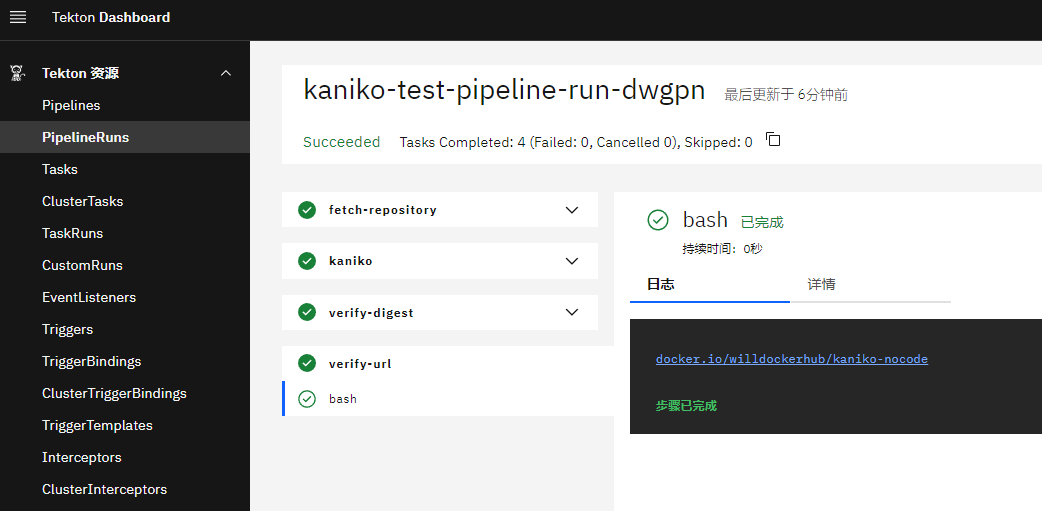
查看pipelinerun执行结果
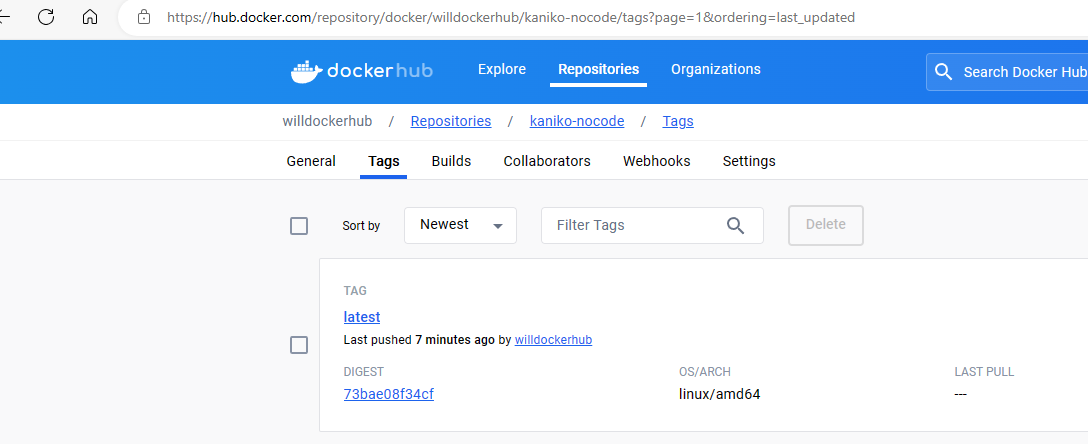
查看镜像构建结果
这篇关于Tekton 构建容器镜像的文章就介绍到这儿,希望我们推荐的文章对编程师们有所帮助!






