本文主要是介绍Mac利用brew安装mysql并设置初始密码,希望对大家解决编程问题提供一定的参考价值,需要的开发者们随着小编来一起学习吧!
前言
之前一直是在windows上开发后段程序,所以只在windows上装mysql。(我记得linux只需要适应yum之类的命令即可)
另外, linux的移步 linux安装mysql (详细步骤,初次初始化,sql小例子,可视化操作客户端推荐)
好家伙,我佛了,写完当天网上发现自己之前写过一篇 brew 安装mysql (Mac OS), 不过那篇没有说如何设置初始密码.
安装mysql
brew install mysql
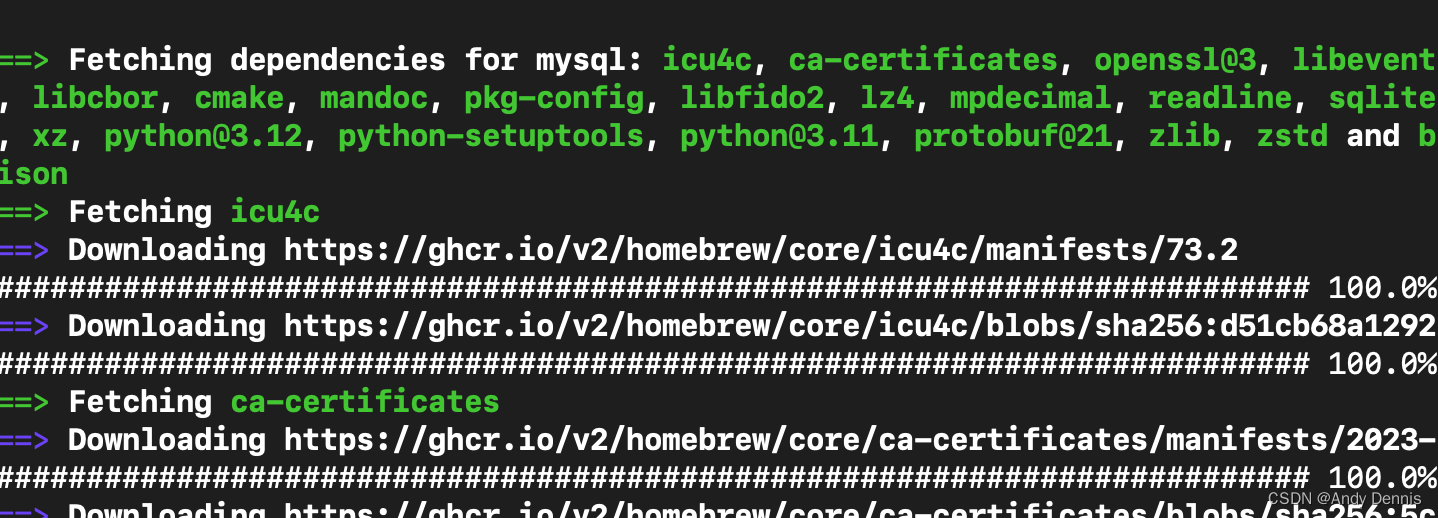
等它装完就好啦
开启mysql
mysql.server start
顺带一提,关闭命令是
mysql.server stop
设置初始密码
mysql_secure_installation
输入上面这个命令,就会提示你一系列操作,就可以设置我们的初始密码了
andydennis@192 ~ % mysql_secure_installationSecuring the MySQL server deployment.Enter password for user root:
Error: Access denied for user 'root'@'localhost' (using password: YES)
andydennis@192 ~ % mysql_secure_installationSecuring the MySQL server deployment.Enter password for user root: VALIDATE PASSWORD PLUGIN can be used to test passwords
and improve security. It checks the strength of password
and allows the users to set only those passwords which are
secure enough. Would you like to setup VALIDATE PASSWORD plugin?Press y|Y for Yes, any other key for No: yThere are three levels of password validation policy:LOW    Length >= 8
MEDIUM Length >= 8, numeric, mixed case, and special characters
STRONG Length >= 8, numeric, mixed case, special characters and dictionary                  filePlease enter 0 = LOW, 1 = MEDIUM and 2 = STRONG: 0
Using existing password for root.Estimated strength of the password: 25
Change the password for root ? ((Press y|Y for Yes, any other key for No) : yNew password: Re-enter new password: Estimated strength of the password: 25
Do you wish to continue with the password provided?(Press y|Y for Yes, any other key for No) : y... Failed! Error: Your password does not satisfy the current policy requirementsNew password: Re-enter new password: Estimated strength of the password: 50
Do you wish to continue with the password provided?(Press y|Y for Yes, any other key for No) : y
By default, a MySQL installation has an anonymous user,
allowing anyone to log into MySQL without having to have
a user account created for them. This is intended only for
testing, and to make the installation go a bit smoother.
You should remove them before moving into a production
environment.Remove anonymous users? (Press y|Y for Yes, any other key for No) : y
Success.Normally, root should only be allowed to connect from
'localhost'. This ensures that someone cannot guess at
the root password from the network.Disallow root login remotely? (Press y|Y for Yes, any other key for No) : n... skipping.
By default, MySQL comes with a database named 'test' that
anyone can access. This is also intended only for testing,
and should be removed before moving into a production
environment.Remove test database and access to it? (Press y|Y for Yes, any other key for No) : ... skipping.
Reloading the privilege tables will ensure that all changes
made so far will take effect immediately.Reload privilege tables now? (Press y|Y for Yes, any other key for No) : ... skipping.
All done!
这里密码需要大于等于8个,所以我设置了 root1234
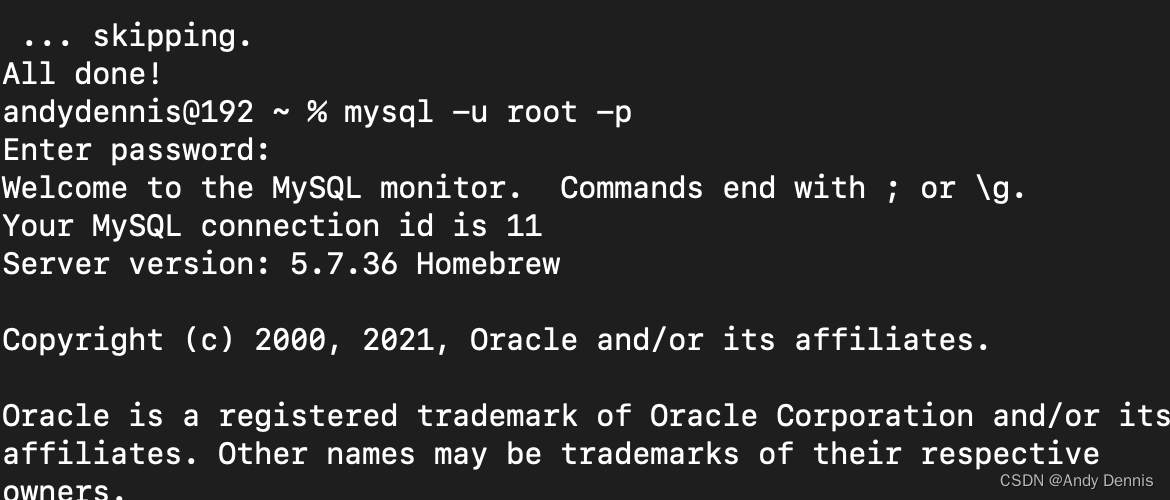
然后就可以用我们熟悉的命令登录上mysql了
mysql -u root -p
输入密码 root1234
查看 有无启动
ps aux|grep mysqld
或者
ps -ef|grep mysqld
或者换一种思路,看3306端口号是否被占用
lsof -i :3306
这篇关于Mac利用brew安装mysql并设置初始密码的文章就介绍到这儿,希望我们推荐的文章对编程师们有所帮助!





