本文主要是介绍IaC基础设施即代码:使用Terraform 连接 alicloud阿里云,希望对大家解决编程问题提供一定的参考价值,需要的开发者们随着小编来一起学习吧!
目录
一、实验
1.环境
2.alicloud阿里云创建用户
3.Linux使用Terraform 连接 alicloud
4.Windows使用Terraform 连接 alicloud
二、问题
1.Windows如何申明RAM 相关变量
2.Linux如何申明RAM 相关变量
3. Linux terraform 初始化失败
4.Linux terraform 计划与预览失败
5. Windows terraform 初始化失败
6. Windows terraform plan命令有哪些参数
一、实验
1.环境
(1)主机
表1-1 主机
| 主机 | 系统 | 软件 | 工具 | 备注 |
| jia | Windows | Terraform 1.6.6 | VS Code、 PowerShell | |
| pipepoint | Linux | Terraform 1.6.6 | Chocolatey |
2.alicloud阿里云创建用户
(1)登录
RAM 访问控制 (aliyun.com)
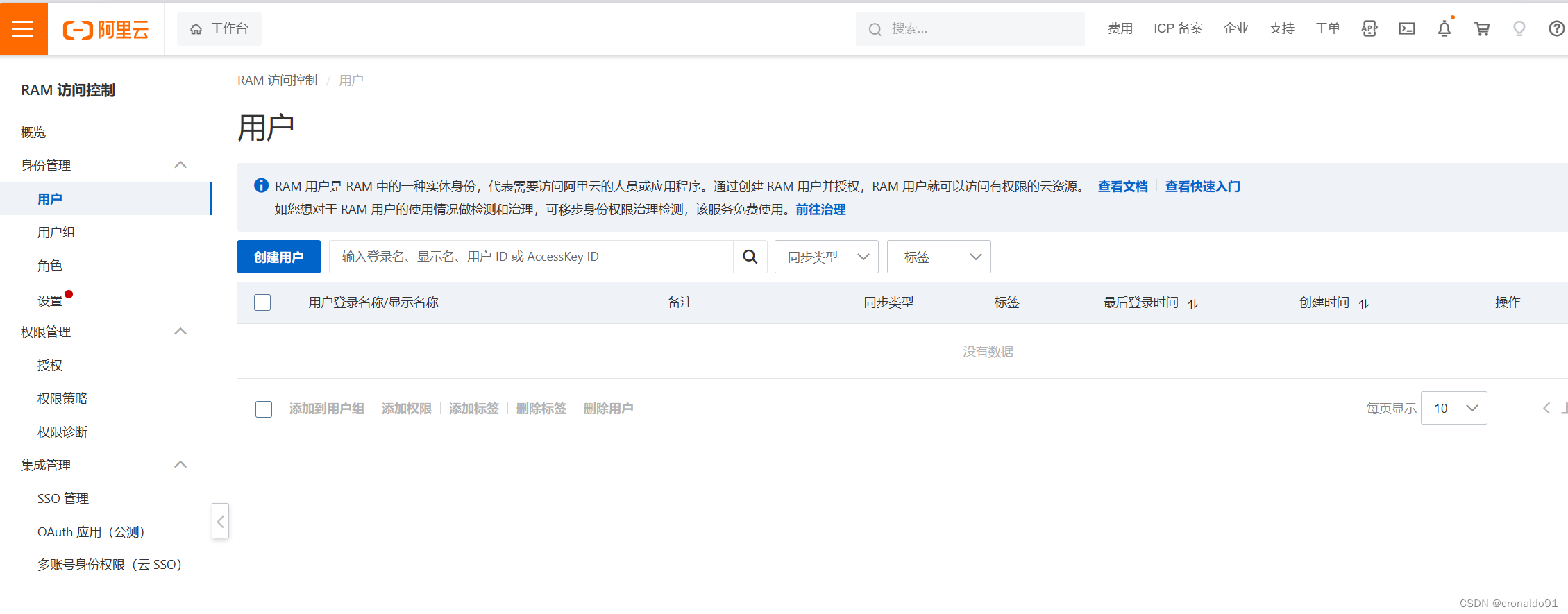
(2)查看
RAM访问控制-用户
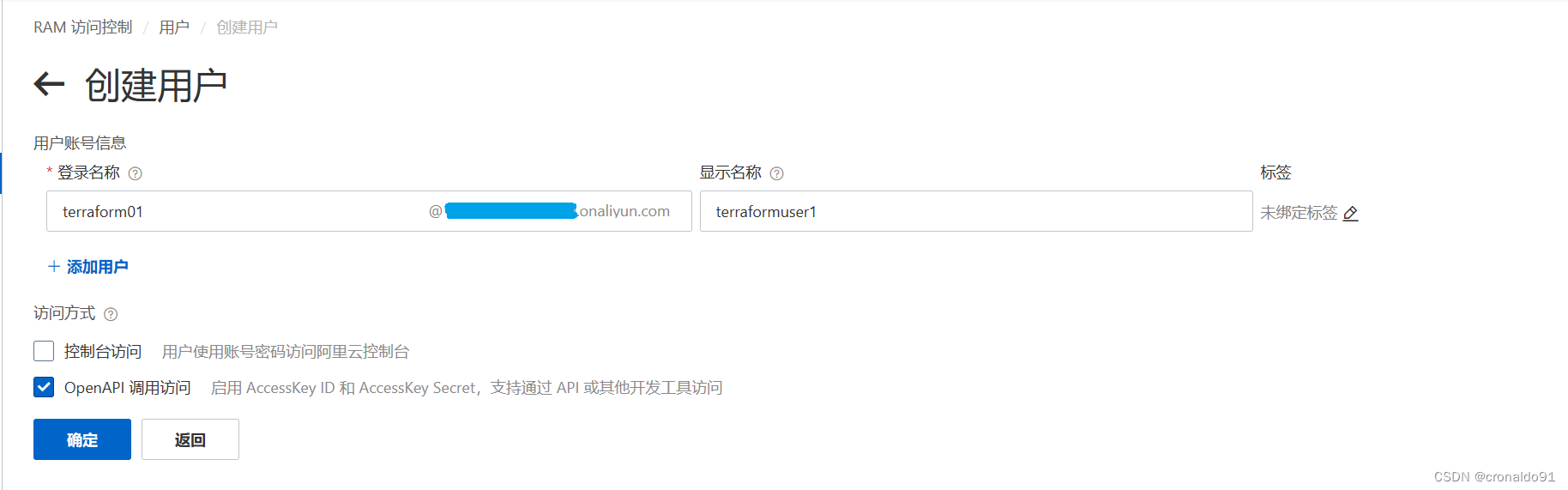
(3)创建用户
选中“OpenAPI调用访问”
(4)安全验证

(5)完成创建

(6)添加权限

(7)选择权限,搜索“VPC”
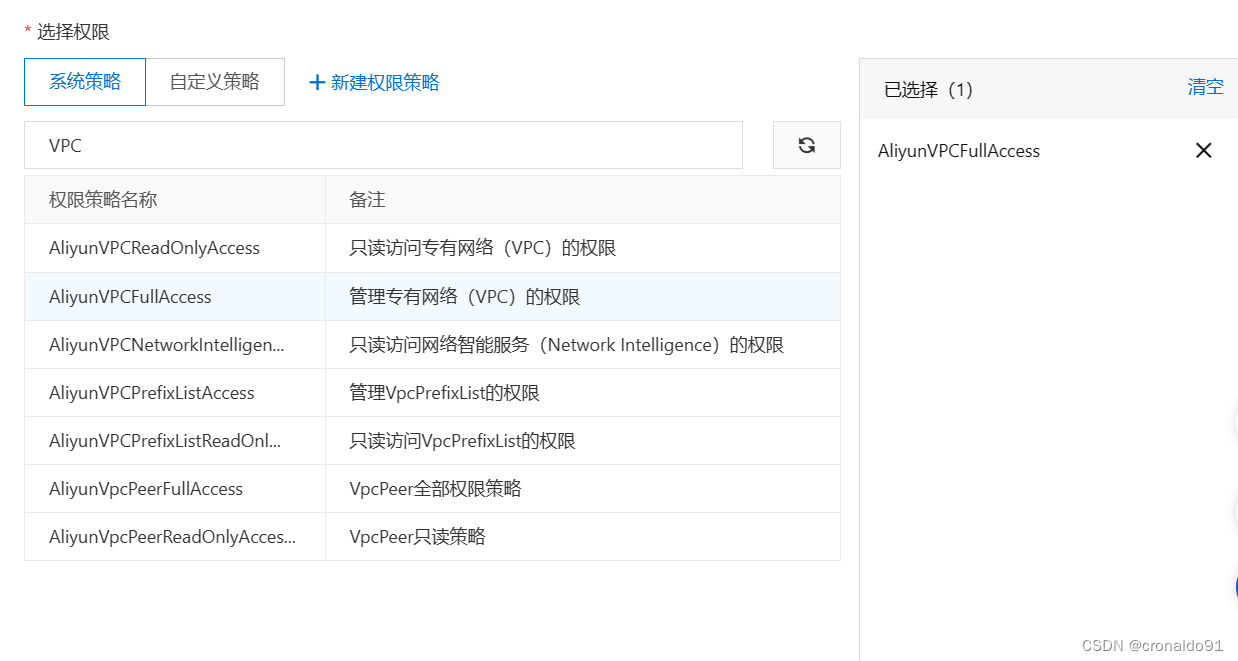
(8)选择权限,搜索“ECS”

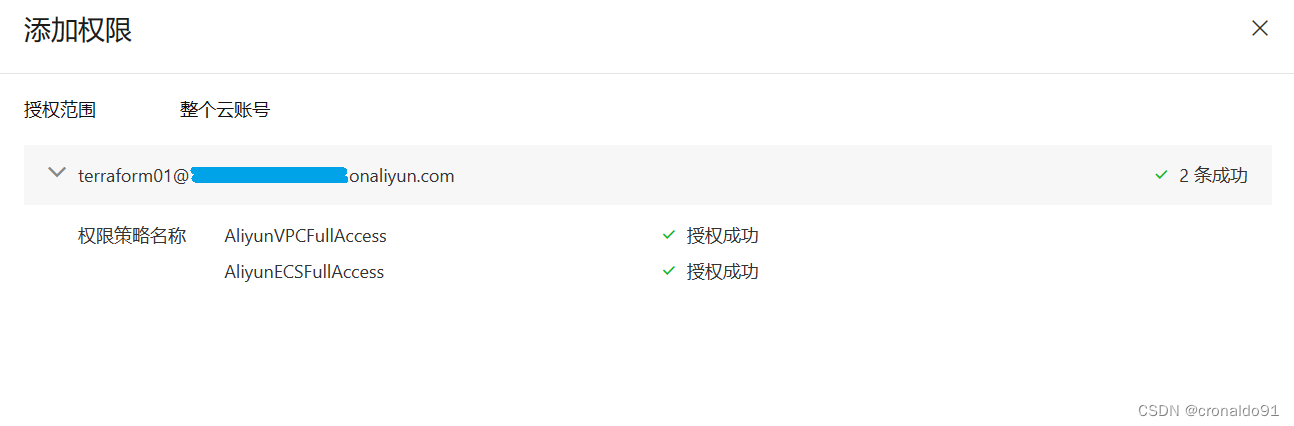
(9)授权成功
(10)查看alicloud provider 示例
Terraform Registry

USE PROVIDER 示例
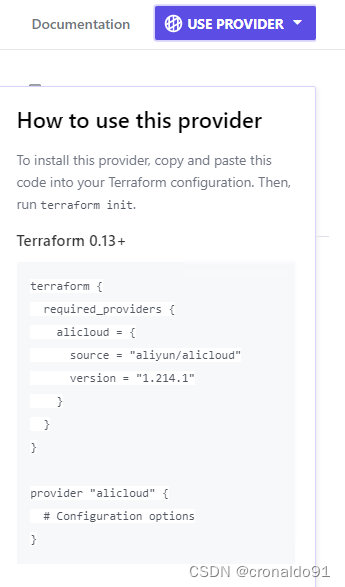
terraform {required_providers {alicloud = {source = "aliyun/alicloud"version = "1.214.1"}}
}provider "alicloud" {# Configuration options
}
Example Usage 示例

# Configure the Alicloud Provider
provider "alicloud" {access_key = "${var.access_key}"secret_key = "${var.secret_key}"region     = "${var.region}"
}data "alicloud_instance_types" "c2g4" {cpu_core_count = 2memory_size    = 4
}data "alicloud_images" "default" {name_regex  = "^ubuntu"most_recent = trueowners      = "system"
}# Create a web server
resource "alicloud_instance" "web" {image_id             = "${data.alicloud_images.default.images.0.id}"internet_charge_type = "PayByBandwidth"instance_type        = "${data.alicloud_instance_types.c2g4.instance_types.0.id}"system_disk_category = "cloud_efficiency"security_groups      = ["${alicloud_security_group.default.id}"]instance_name        = "web"vswitch_id           = "vsw-abc12345"
}# Create security group
resource "alicloud_security_group" "default" {name        = "default"description = "default"vpc_id      = "vpc-abc12345"
}
3.Linux使用Terraform 连接 alicloud
(1)安装
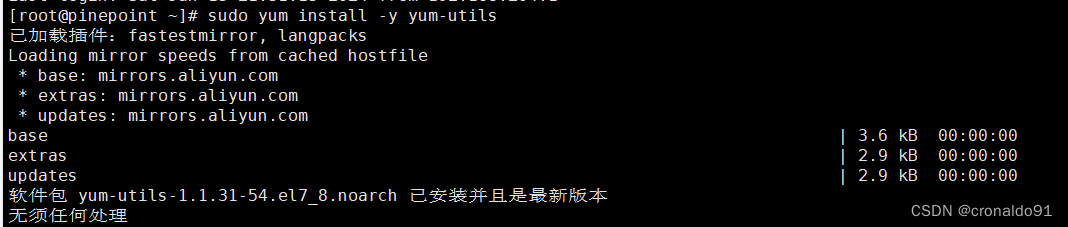
sudo yum install -y yum-utilssudo yum-config-manager --add-repo https://rpm.releases.hashicorp.com/RHEL/hashicorp.reposudo yum -y install terraform
安装yum-utils
添加REPO

安装Terraform


(2)验证版本
terraform version

(3)开启命令行补全
terraform -install-autocomplete
(4)创建项目
mkdir terraformcd terraform/

(5)创建主配置文件
vim main.tf
1 provider "alicloud" {2 access_key = var.access_key3 secret_key = var.secret_key4 region = var.region5 }6 7 //VPC 专有网络8 resource "alicloud_vpc" "vpc" {9 vpc_name = "tf_test"10 cidr_block = "172.16.0.0/12"11 }12 13 //switch 交换机14 resource "alicloud_vswitch" "vsw" {15 vpc_id = alicloud_vpc.vpc.id16 cidr_block = "172.16.0.0/21"17 zone_id = "cn-nanjing-a"18 }19 20 //security_group 安全组21 resource "alicloud_security_group" "group" {22 name = "demo-group"23 vpc_id = alicloud_vpc.vpc.id24 security_group_type = "normal" //普通类型25 }26 27 //security_group_rule 规则(80端口)28 resource "alicloud_security_group_rule" "allow_80_tcp" {29 type = "ingress"30 ip_protocol = "tcp"31 nic_type = "intranet"32 policy = "accept"33 port_range = "80/80"34 priority = 135 security_group_id = alicloud_security_group.group.id36 cidr_ip = "0.0.0.0/0"37 }38 39 //security_group_rule 规则(22端口)40 resource "alicloud_security_group_rule" "allow_22_tcp" {41 type = "ingress"42 ip_protocol = "tcp"43 nic_type = "intranet"44 policy = "accept"45 port_range = "22/22"46 priority = 147 security_group_id = alicloud_security_group.group.id48 cidr_ip = "0.0.0.0/0"49 }

(6)创建变量配置文件
vim variables.tf
1 variable "access_key" { type = string }2 3 variable "secret_key" { type = string }4 5 variable "region" { type = string }

(7)创建版本配置文件
vim versions.tf
1 terraform {2 required_version = "1.6.6"3 required_providers {4 alicloud = {5 source = "aliyun/alicloud"6 version = "1.214.1"7 }8 }9 }10

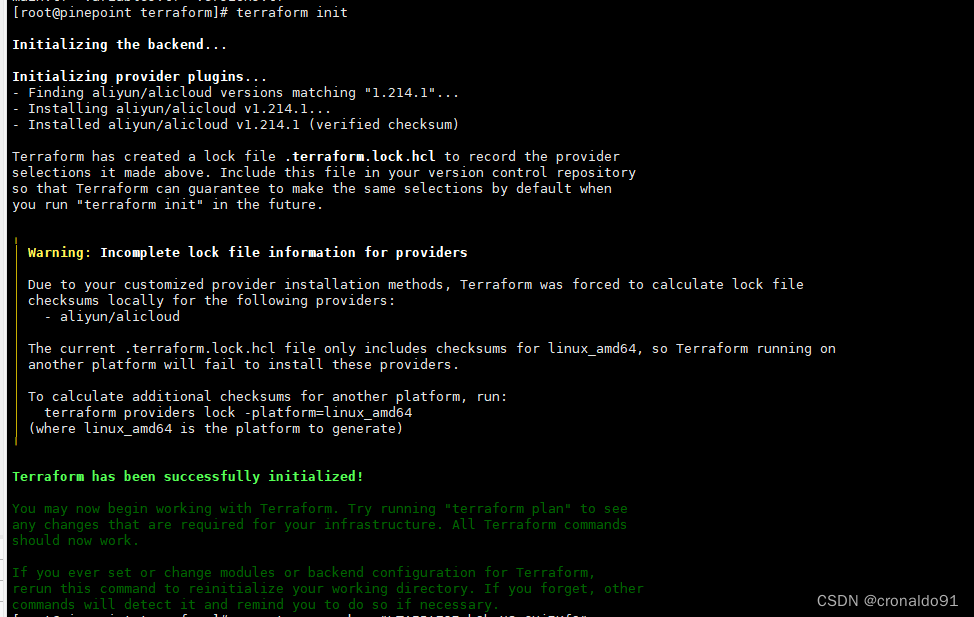
(8)初始化
terraform init
(9)申明RAM相关变量
export TF_VAR_access_key="XXXXX"
export TF_VAR_secret_key="XXXXX"
export TF_VAR_region="cn-nanjing"

(9)格式化代码
terraform fmt

(10)验证代码
terraform validate -json
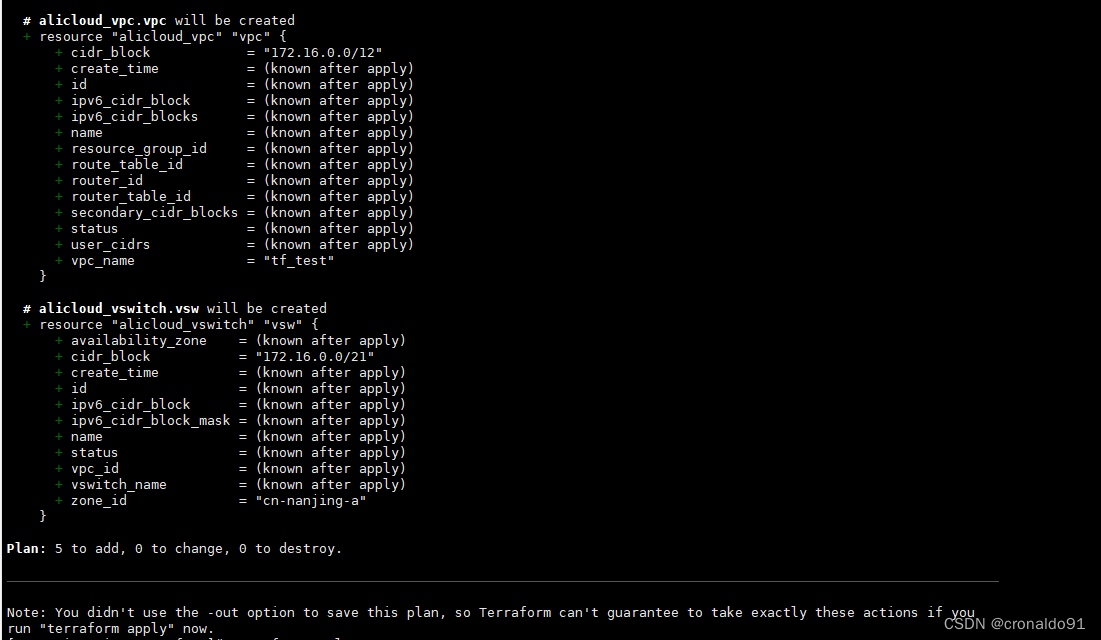
(11)计划与预览
terraform plan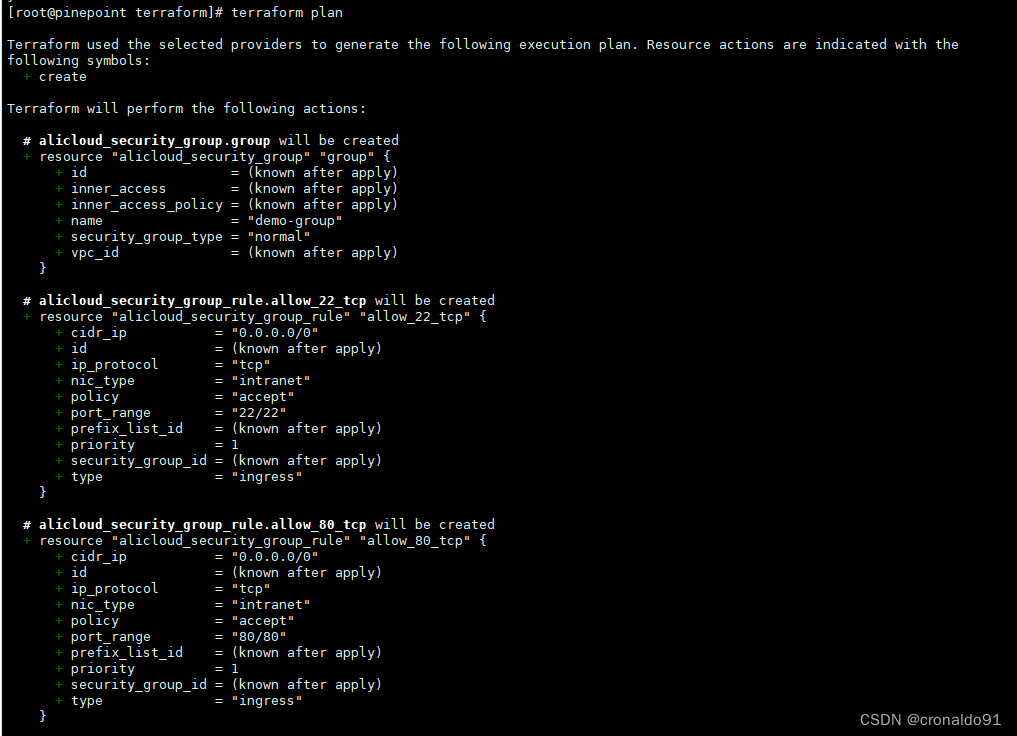
(12)申请资源
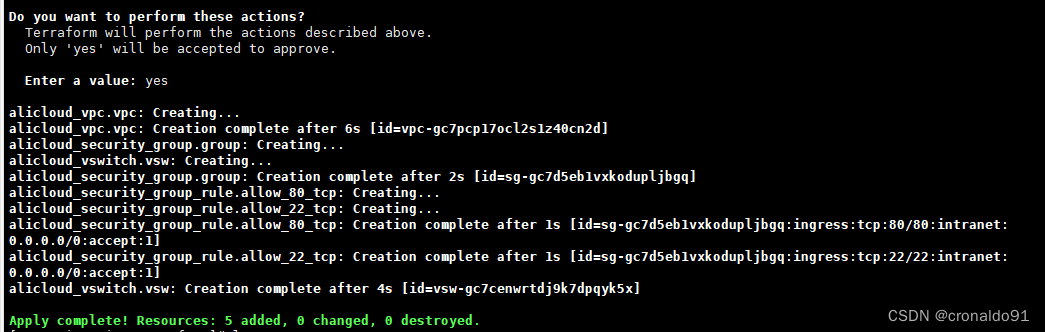
terraform apply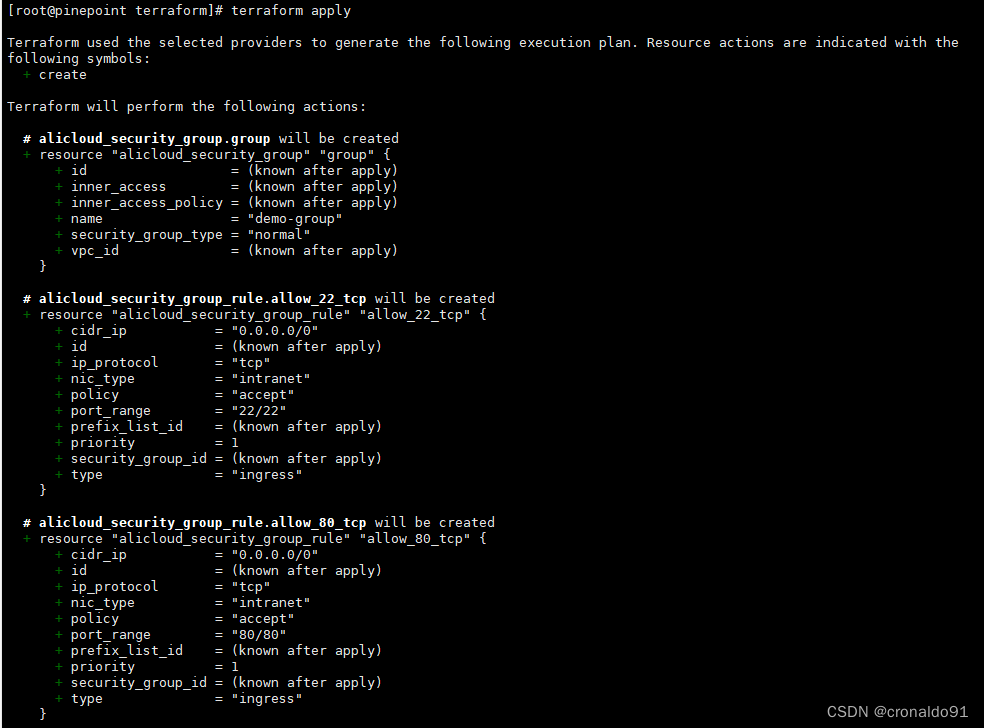

输入yes
查看目录
lstree

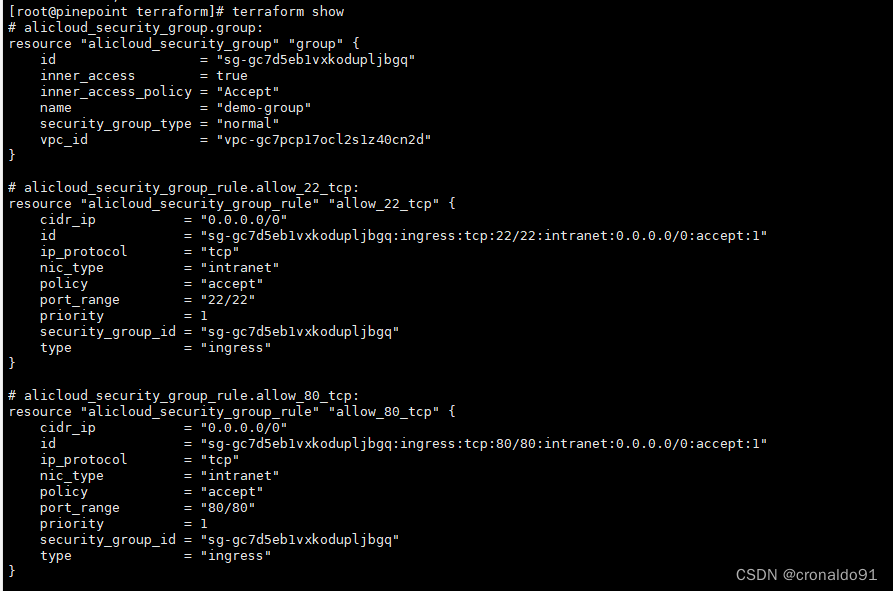
(13)展示资源
terraform show

(14)登录阿里云系统查看
VPC

安全组

入方向规则

(15)销毁资源
terraform destroy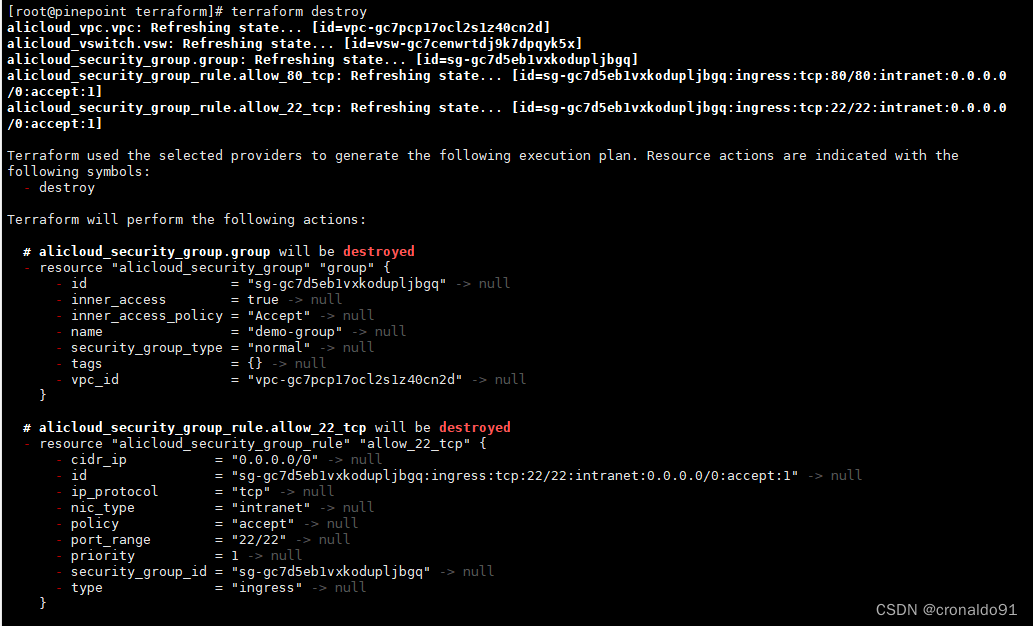
ls输入yes

查看目录

4.Windows使用Terraform 连接 alicloud
(1)验证版本
terraform -v 或 terraform --version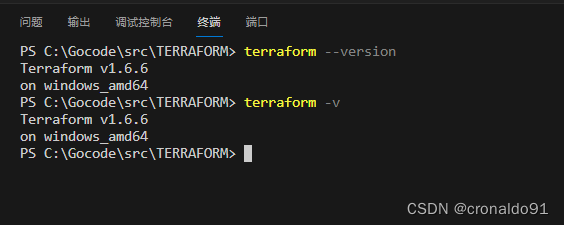
(2)创建主配置文件
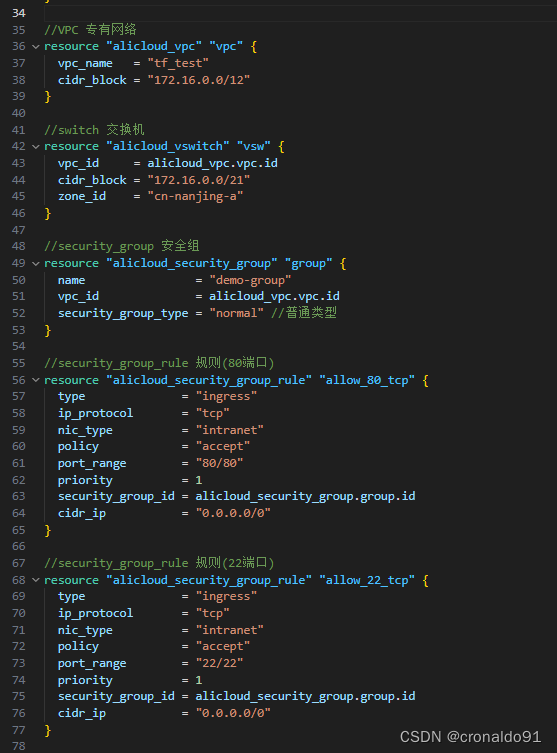
main.tf
terraform {required_version = "1.6.6"required_providers {alicloud = {source  = "aliyun/alicloud"version = "1.214.1"}}
}variable "access_key" {description = "access_key"}variable "secret_key" {description = "secret_key"
}variable "region" {description = "阿里云地域"type        = stringdefault     = "cn-nanjing"
}# Configure the Alicloud Provider
provider "alicloud" {access_key = var.access_keysecret_key = var.secret_keyregion     = var.region
}//VPC 专有网络
resource "alicloud_vpc" "vpc" {vpc_name   = "tf_test"cidr_block = "172.16.0.0/12"
}//switch 交换机
resource "alicloud_vswitch" "vsw" {vpc_id     = alicloud_vpc.vpc.idcidr_block = "172.16.0.0/21"zone_id    = "cn-nanjing-a"
}//security_group 安全组
resource "alicloud_security_group" "group" {name                = "demo-group"vpc_id              = alicloud_vpc.vpc.idsecurity_group_type = "normal" //普通类型
}//security_group_rule 规则(80端口)
resource "alicloud_security_group_rule" "allow_80_tcp" {type              = "ingress"ip_protocol       = "tcp"nic_type          = "intranet"policy            = "accept"port_range        = "80/80"priority          = 1security_group_id = alicloud_security_group.group.idcidr_ip           = "0.0.0.0/0"
}//security_group_rule 规则(22端口)
resource "alicloud_security_group_rule" "allow_22_tcp" {type              = "ingress"ip_protocol       = "tcp"nic_type          = "intranet"policy            = "accept"port_range        = "22/22"priority          = 1security_group_id = alicloud_security_group.group.idcidr_ip           = "0.0.0.0/0"
}
(3) 创建变量配置文件
terraform.tfvars
access_key = "XXXXX"
secret_key = "XXXXX"

(4)初始化
terraform init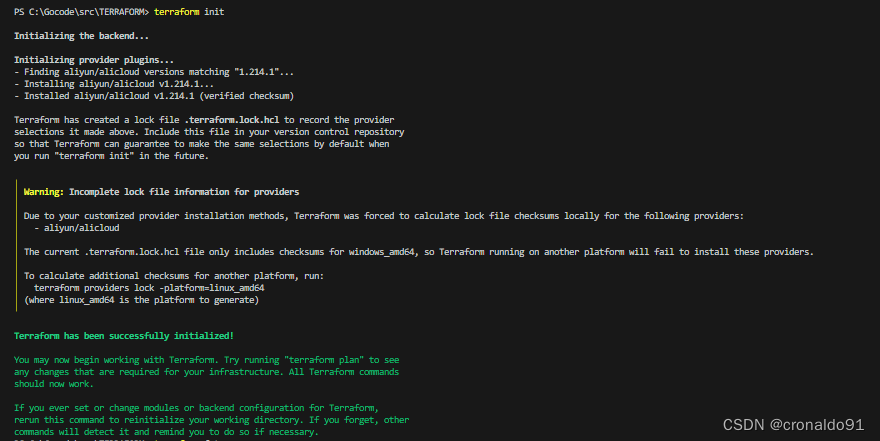
(5)格式化代码
terraform fmt

(6)验证代码
terraform validate -jsonterraform validate 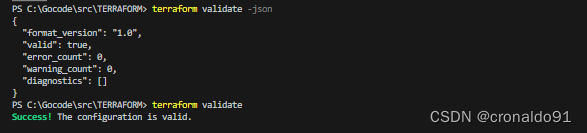
(7)计划与预览
terraform plan
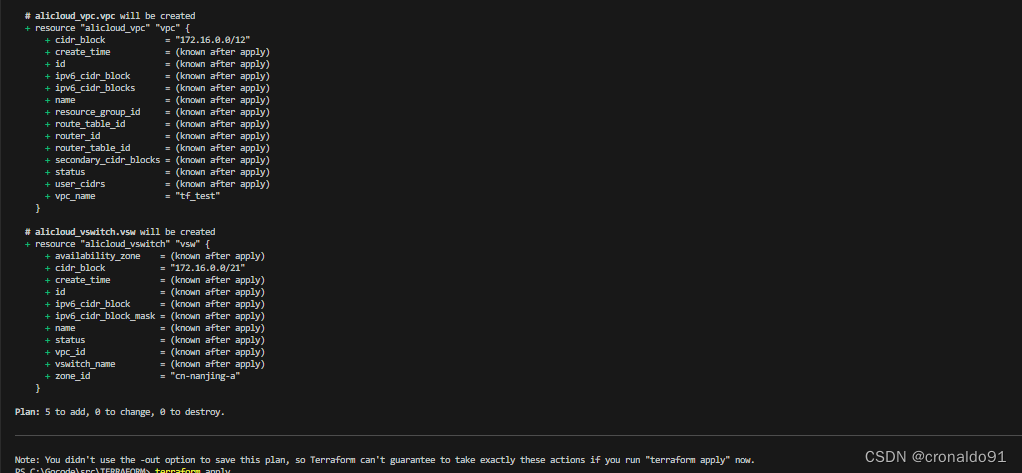
(8)申请资源
terraform apply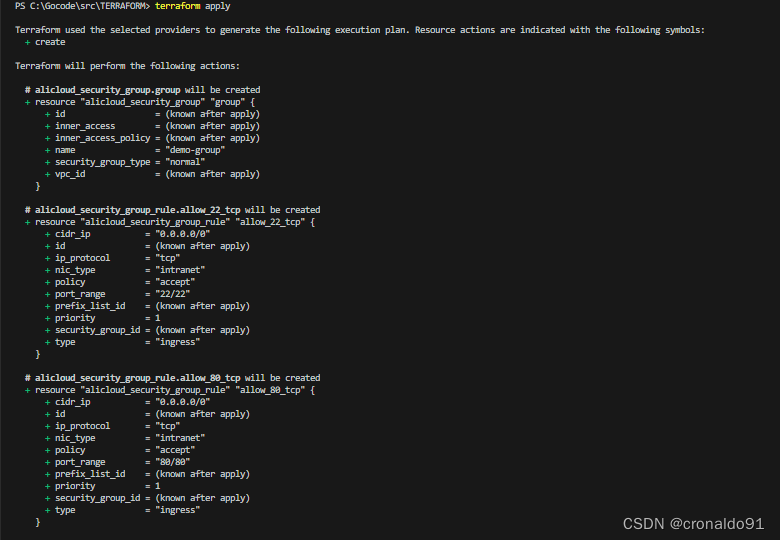
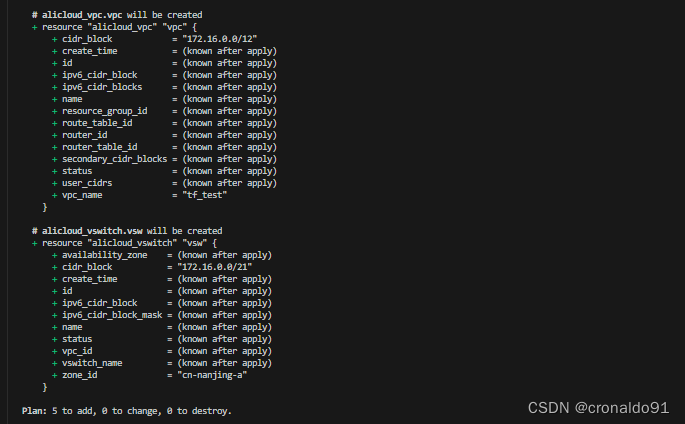
输入yes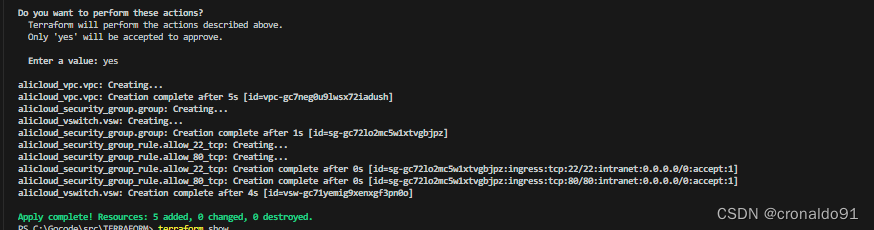
(9)展示资源
terraform show
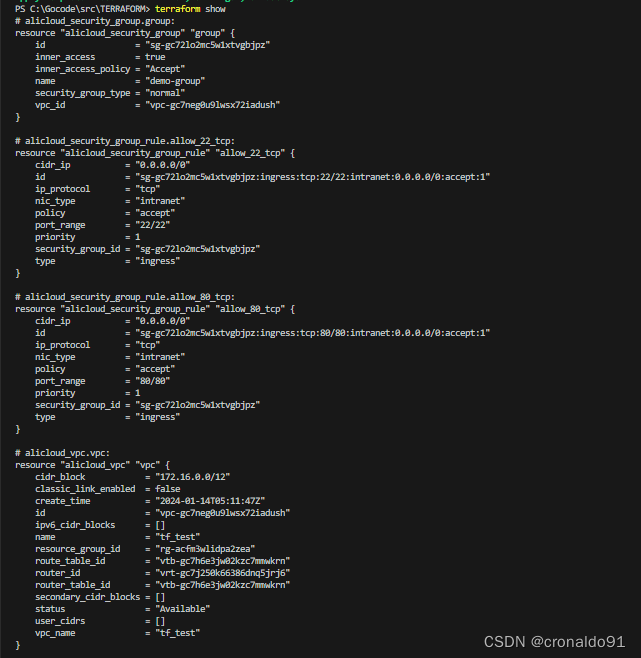

(10)登录阿里云系统查看
VPC
安全组
入方向规则
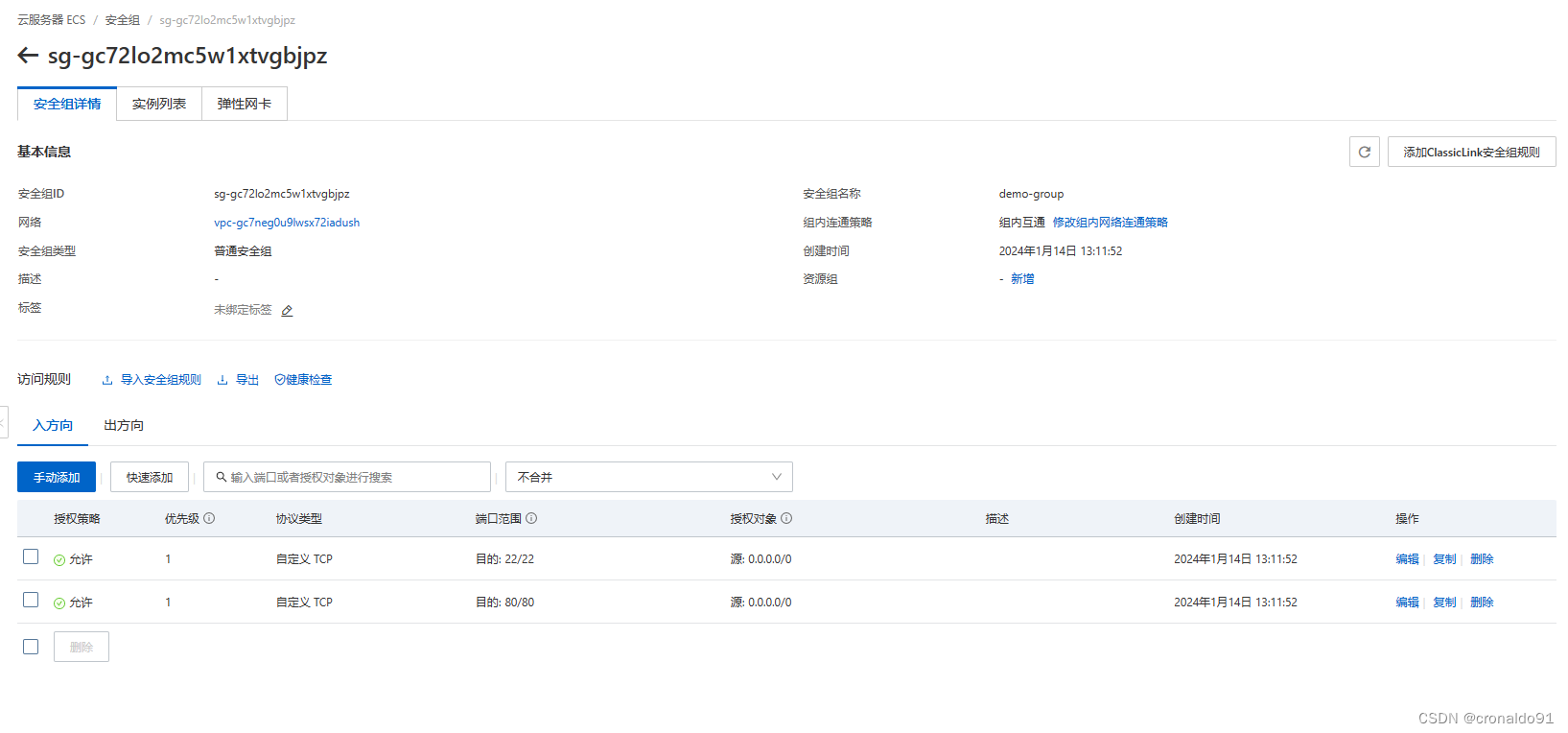
(11)销毁资源
terraform destroy
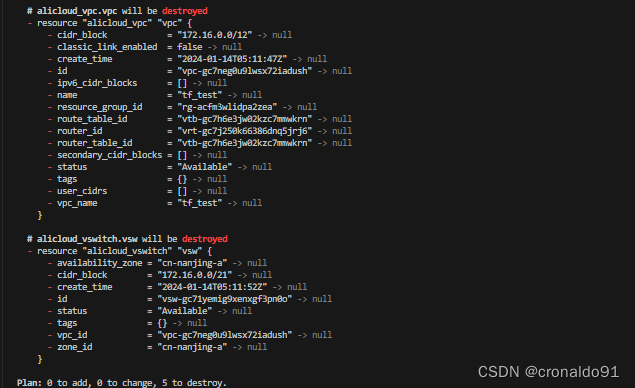
输入yes
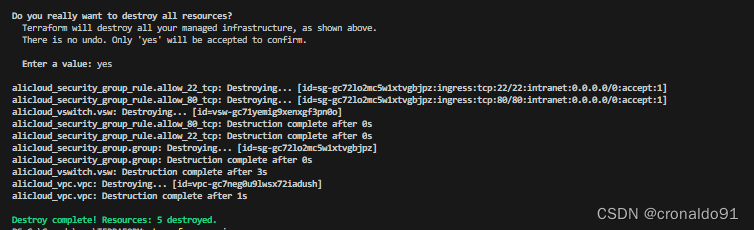
(12)查看版本
多了provider的仓库地址
terraform versionterraform -v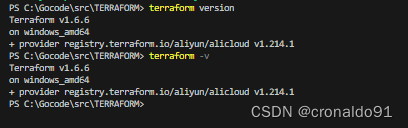
二、问题
1.Windows如何申明RAM 相关变量
(1)申明 (仅测试)
setx  TF_VAR_access_key  XXXXX
setx  TF_VAR_secret_key  XXXXX
setx  TF_VAR_region  cn-nanjing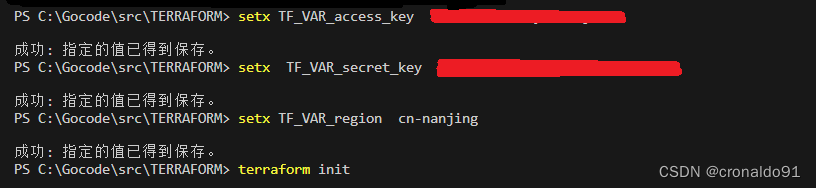
(2)查看
regedit用户变量:
计算机\HKEY_CURRENT_USER\Environment系统变量:
计算机\HKEY_LOCAL_MACHINE\SYSTEM\ControlSet001\Control\Session Manager\Environment
注册应用表:

用户变量:
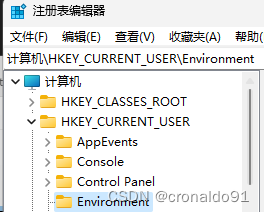
系统变量:

2.Linux如何申明RAM 相关变量
(1)申明
export TF_VAR_access_key="XXXXX"
export TF_VAR_secret_key="XXXXX"
export TF_VAR_region="cn-nanjing"
3. Linux terraform 初始化失败
(1)报错
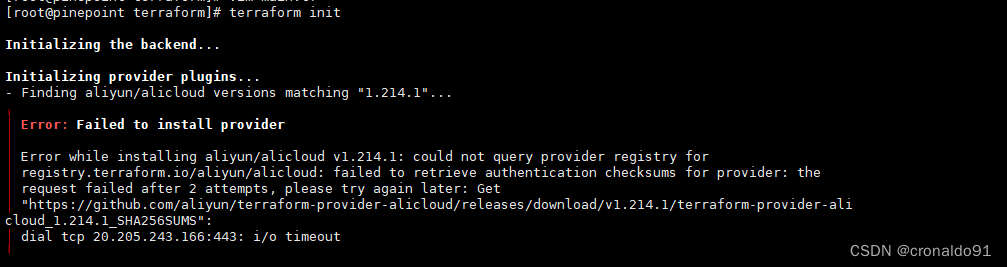
(2)原因分析
国内用户在下载 Provider 时会遇到下载缓慢甚至下载失败的问题
(3)解决方法
Terraform CLI 自 0.13.2 版本起提供了设置网络镜像的功能。为解决以上问题,阿里云 Provider 提供了镜像服务以帮助国内用户快速下载。
①配置方案
创建.terraformrc 或terraform.rc配置文件,文件位置取决于主机的操作系统。在 Windows 环境上,文件必须命名为terraform.rc,并放置在相关用户的%APPDATA%目录中。这个目录的物理位置取决于Windows 版本和系统配置;在 PowerShell 中使用 $env:APPDATA 可以找到其在系统上的位置。在所有其他系统上,必须将该文件命名为.terraformrc,并直接放在相关用户的主目录中。也可以使用TF_CLI_CONFIG_FILE环境变量指定 Terraform CLI 配置文件的位置,任何此类文件都应遵循命名模式*.tfrc。② 在home目录下创建.terraformrc文件,内容如下
provider_installation {network_mirror {url = "https://mirrors.aliyun.com/terraform/"// 限制只有阿里云相关 Provider 从国内镜像源下载include = ["registry.terraform.io/aliyun/alicloud", "registry.terraform.io/hashicorp/alicloud",]   }direct {// 声明除了阿里云相关Provider, 其它Provider保持原有的下载链路exclude = ["registry.terraform.io/aliyun/alicloud", "registry.terraform.io/hashicorp/alicloud",]  }
}
③ 新增配置文件
vim .terraformrc
cd terraform/


④ 成功
4.Linux terraform 计划与预览失败
(1)报错


(2)原因分析
环境变量引用失败
(3)解决方法
重新申明变量
export TF_VAR_access_key="XXXXX"
export TF_VAR_secret_key="XXXXX"
export TF_VAR_region="cn-nanjing"
成功:
5. Windows terraform 初始化失败
(1)报错
显示成功,实际未加载插件
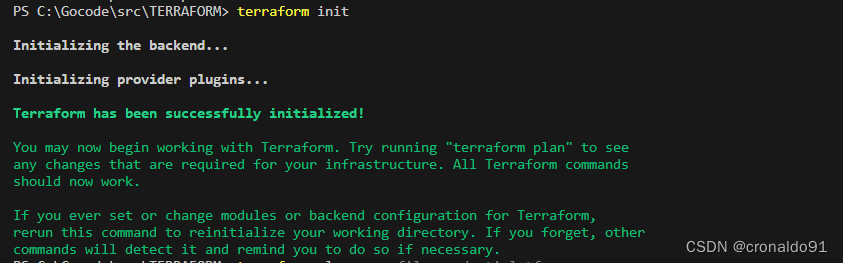
(2)原因分析
国内用户在下载 Provider 时会遇到下载缓慢甚至下载失败的问题
(3)解决方法
Terraform CLI 自 0.13.2 版本起提供了设置网络镜像的功能。为解决以上问题,阿里云 Provider 提供了镜像服务以帮助国内用户快速下载。
① 配置方案
创建.terraformrc 或terraform.rc配置文件,文件位置取决于主机的操作系统。在 Windows 环境上,文件必须命名为terraform.rc,并放置在相关用户的%APPDATA%目录中。这个目录的物理位置取决于Windows 版本和系统配置;在 PowerShell 中使用 $env:APPDATA 可以找到其在系统上的位置。在所有其他系统上,必须将该文件命名为.terraformrc,并直接放在相关用户的主目录中。也可以使用TF_CLI_CONFIG_FILE环境变量指定 Terraform CLI 配置文件的位置,任何此类文件都应遵循命名模式*.tfrc。② 查看目录
echo $env:APPDATA
③ 进入目录

④在相关目录下创建terraform.rc文件

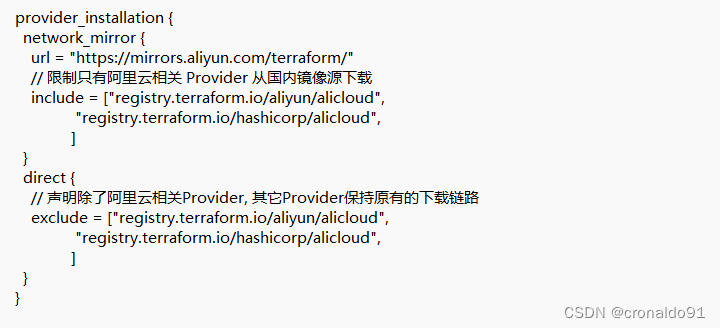
内容如下:
provider_installation {network_mirror {url = "https://mirrors.aliyun.com/terraform/"// 限制只有阿里云相关 Provider 从国内镜像源下载include = ["registry.terraform.io/aliyun/alicloud", "registry.terraform.io/hashicorp/alicloud",]   }direct {// 声明除了阿里云相关Provider, 其它Provider保持原有的下载链路exclude = ["registry.terraform.io/aliyun/alicloud", "registry.terraform.io/hashicorp/alicloud",]  }
}
⑤ 成功
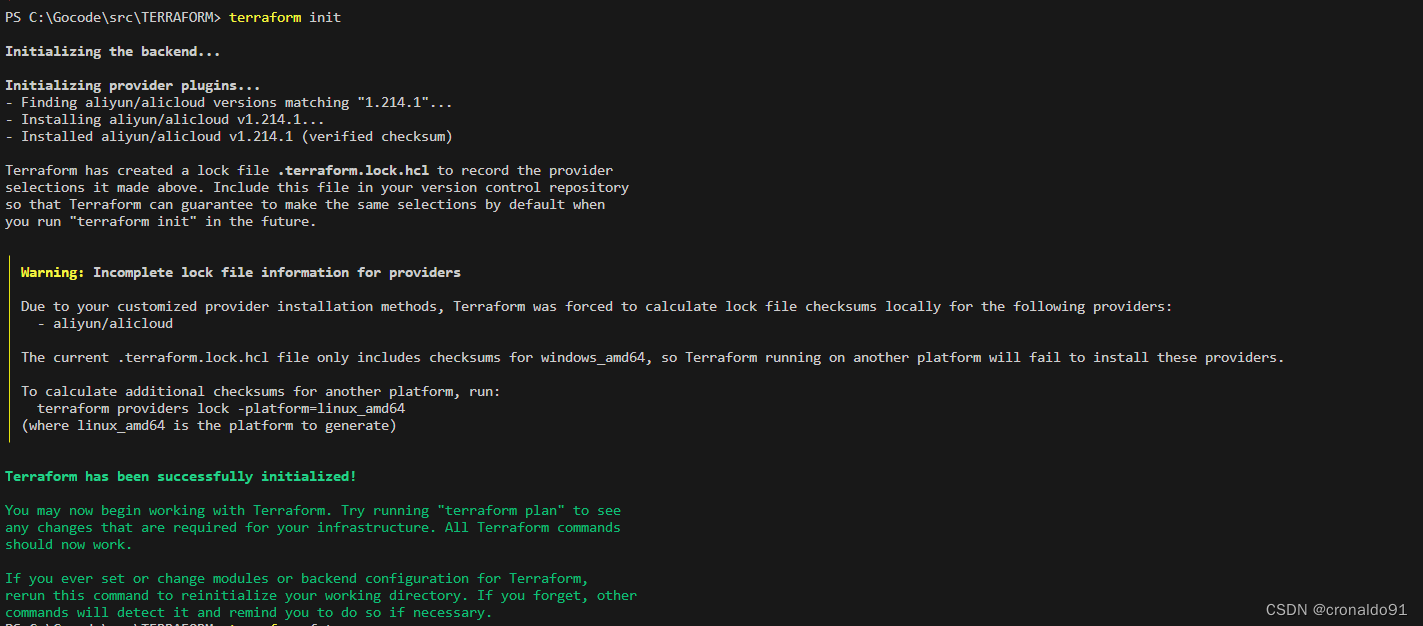
6. Windows terraform plan命令有哪些参数
(1)语法

PS C:\Gocode\src\TERRAFORM> terraform plan -help
Usage: terraform [global options] plan [options]Generates a speculative execution plan, showing what actions Terraformwould take to apply the current configuration. This command will notactually perform the planned actions.You can optionally save the plan to a file, which you can then pass tothe "apply" command to perform exactly the actions described in the plan.Plan Customization Options:The following options customize how Terraform will produce its plan. Youcan also use these options when you run "terraform apply" without passingit a saved plan, in order to plan and apply in a single command.-destroy            Select the "destroy" planning mode, which creates a planto destroy all objects currently managed by thisTerraform configuration instead of the usual behavior.-refresh-only       Select the "refresh only" planning mode, which checkswhether remote objects still match the outcome of themost recent Terraform apply but does not propose anyactions to undo any changes made outside of Terraform.-refresh=false      Skip checking for external changes to remote objectswhile creating the plan. This can potentially makeplanning faster, but at the expense of possibly planningagainst a stale record of the remote system state.-replace=resource   Force replacement of a particular resource instance usingits resource address. If the plan would've normallyproduced an update or no-op action for this instance,Terraform will plan to replace it instead. You can usethis option multiple times to replace more than one object.-target=resource    Limit the planning operation to only the given module,resource, or resource instance and all of itsdependencies. You can use this option multiple times toinclude more than one object. This is for exceptionaluse only.-var 'foo=bar'      Set a value for one of the input variables in the rootmodule of the configuration. Use this option more thanonce to set more than one variable.-var-file=filename  Load variable values from the given file, in additionto the default files terraform.tfvars and *.auto.tfvars.Use this option more than once to include more than onevariables file.Other Options:-compact-warnings          If Terraform produces any warnings that are notaccompanied by errors, shows them in a more compactform that includes only the summary messages.-detailed-exitcode         Return detailed exit codes when the command exits.This will change the meaning of exit codes to:0 - Succeeded, diff is empty (no changes)1 - Errored2 - Succeeded, there is a diff-generate-config-out=path  (Experimental) If import blocks are present inconfiguration, instructs Terraform to generate HCLfor any imported resources not already present. Theconfiguration is written to a new file at PATH,which must not already exist. Terraform may stillattempt to write configuration if the plan errors.-input=true                Ask for input for variables if not directly set.-lock=false                Don't hold a state lock during the operation. Thisis dangerous if others might concurrently runcommands against the same workspace.-lock-timeout=0s           Duration to retry a state lock.-no-color                  If specified, output won't contain any color.-out=path                  Write a plan file to the given path. This can beused as input to the "apply" command.-parallelism=n             Limit the number of concurrent operations. Defaultsto 10.-state=statefile           A legacy option used for the local backend only.See the local backend's documentation for moreinformation.
这篇关于IaC基础设施即代码:使用Terraform 连接 alicloud阿里云的文章就介绍到这儿,希望我们推荐的文章对编程师们有所帮助!




